

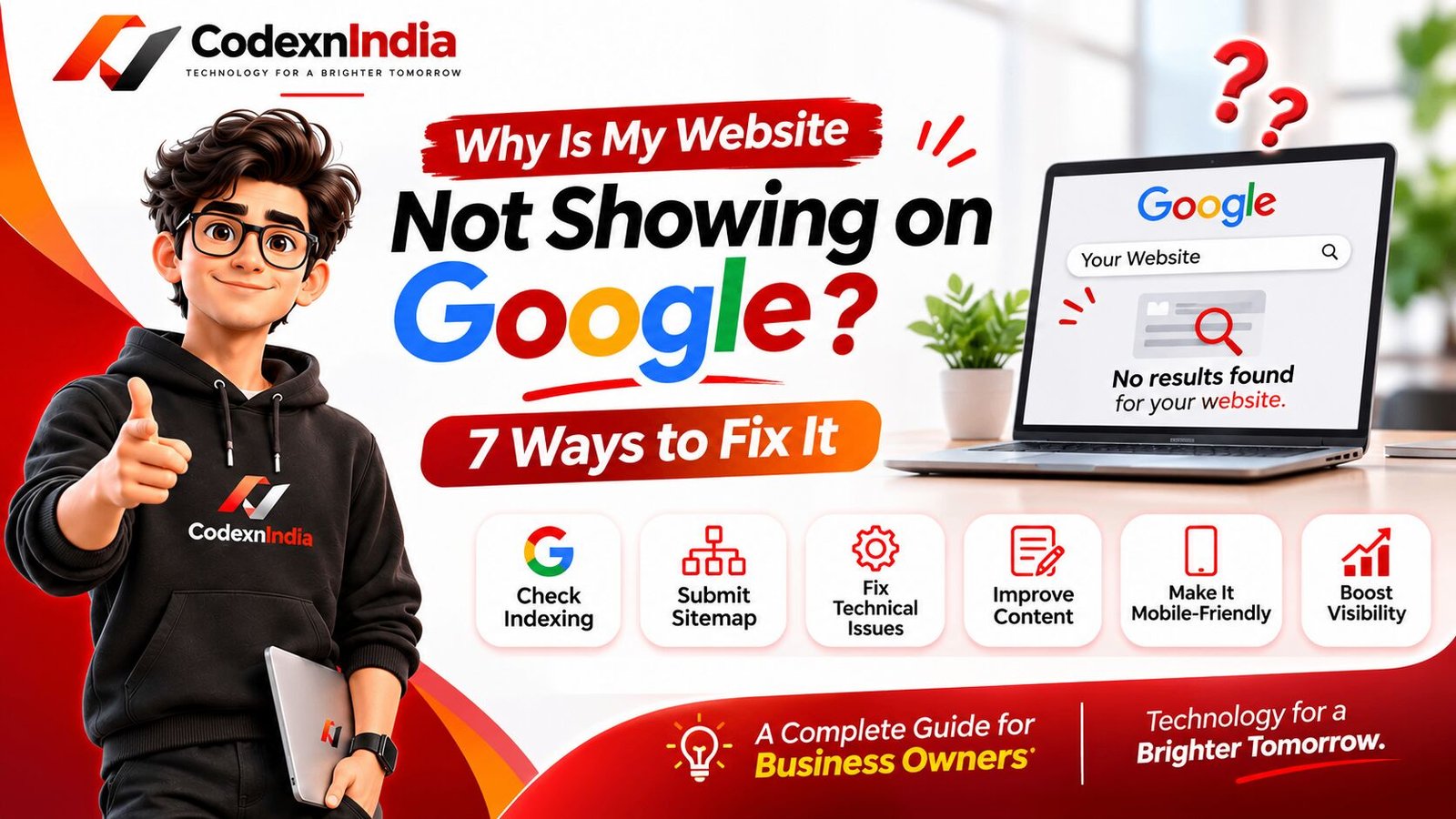
Your website is live, but customers cannot find it on Google? This is one of the most frustrating problems for website owners. You invest time and money in building a website, publish your services, and wait for visitors. But when you search for your business on Google, nothing appears.
The good news is that this problem does not always mean something is seriously wrong with your website. Sometimes Google has not discovered your pages yet. In other cases, technical SEO errors, indexing settings, poor content, or website performance issues may be preventing your pages from appearing in search results.
In this guide, we explain seven common reasons why your website is not showing on Google and, more importantly, how you can fix each problem step by step.
What Does It Mean When Your Website Is Not Showing on Google?
When your website does not appear in Google search results, it usually means one of two things:
- Google has not discovered or indexed your website.
- Your website is indexed, but it is not ranking for the keywords you are searching.
These are different problems and require different solutions. Before changing your design or buying SEO services, first check whether Google has indexed your pages.
Start by searching: site:codexnindia.com. If Google displays your pages, some of your website is indexed. If no results appear, further investigation is needed.
1. Your Website Is Not Indexed by Google
Indexing means Google has visited a page, processed its content, and stored information about it so that it may appear in search results. Publishing a new website does not automatically mean every page will appear immediately.
How to fix it:
- Open Google Search Console.
- Add and verify your website.
- Open the URL Inspection tool.
- Enter the URL you want Google to index.
- Check its indexing status.
- If the page is eligible, select Request Indexing.
Requesting indexing does not guarantee that Google will immediately index or rank the page.
2. Your Website Has Technical SEO Issues
Your website might look perfect to visitors but still have technical problems that make it difficult for search engines to understand. Common issues include broken links, incorrect canonical tags, HTTP 500 errors, 404 pages, incorrect redirects, and accidental noindex tags.
For example, if an important service page returns a server error, Google may struggle to access and index it.
How to fix it: Check important URLs, confirm that they load successfully and return appropriate HTTP status codes, and verify that they do not contain accidental indexing restrictions. Laravel, WordPress and other framework websites should also be checked for routing, server configuration and SEO settings.
3. Your Robots.txt File Is Blocking Google
Your robots.txt file gives crawling instructions to search engine bots. If it accidentally blocks important pages, Google may have difficulty crawling them. A rule such as User-agent: * followed by Disallow: / can block crawling across the whole website.
How to fix it:
- Open
codexnindia.com/robots.txt. - Check whether important pages or directories are blocked.
- Remove incorrect restrictions if they are not intentional.
- Review the important URLs in Google Search Console.
Remember that robots.txt controls crawling, not guaranteed removal from Google's index.
4. Your Website Has Poor or Unhelpful Content
Google aims to show helpful, relevant content that satisfies search intent. A short, generic article may not answer the visitor's real question. Common content problems include very short articles, copied or repeated content, keyword-focused pages, missing answers and outdated information.
How to fix it: Explain the problem clearly, share practical solutions, include relevant examples, use descriptive headings and update outdated information. Do not write an article only to reach a particular word count. Write enough to solve the reader's problem properly.
5. Your Website Does Not Have an XML Sitemap
An XML sitemap helps search engines discover important URLs. Google can still find pages through links, but a sitemap makes discovery easier, especially for newer or larger websites.
How to fix it:
- Generate an XML sitemap containing important canonical URLs.
- Open Google Search Console.
- Navigate to Sitemaps.
- Submit
https://codexnindia.com/sitemap.xml.
Submitting a sitemap does not guarantee indexing, but it helps Google discover the pages.
6. Your Website Has Weak Internal Linking
Internal links connect pages on your website. When important pages have no links pointing to them, search engines and visitors may find them harder to discover. For example, a homepage can link to a website development service, while a blog about website speed can link to that service page.
How to fix it:
- Link related blog posts together.
- Connect blogs to relevant service pages.
- Use descriptive anchor text.
- Keep important pages in the website navigation.
- Remove unnecessary or broken links.
A clear internal linking structure helps visitors explore your website and helps search engines understand how its pages relate to one another.
7. Your Website Has Poor Mobile Optimization
Most users browse from smartphones. If your website is difficult to read, has small controls, loads slowly or changes layout unexpectedly on mobile, visitors may leave. Mobile usability is also important for Google's mobile-first indexing.
How to fix it: Check text readability, button sizes and spacing, navigation, responsive images, page loading performance and layout on smaller screens. Google's PageSpeed Insights can identify performance opportunities, while Search Console can highlight mobile usability problems.
How to Check If Google Has Indexed Your Website
- Search on Google: Enter
site:codexnindia.com. - Open Google Search Console: Add and verify your website property.
- Use URL Inspection: Enter an important page URL.
- Check the indexing report: Review the page status and any reported issue.
- Fix the problem: Make the necessary technical or content changes before requesting another indexing review.
How to Prevent Google Indexing Problems
- Publish original and helpful content regularly.
- Check Google Search Console for indexing issues.
- Keep your XML sitemap updated.
- Monitor important pages for server errors.
- Maintain clear internal links.
- Make sure important pages are not accidentally marked noindex.
- Keep the website mobile-friendly.
- Review website performance periodically.
A simple monthly SEO and technical website check can help identify problems before they affect important pages.
Frequently Asked Questions
Why is my website not appearing on Google?
Your website may not be indexed yet, or it may have technical SEO problems, crawling restrictions, weak content or low search visibility. Start by checking Google Search Console.
How long does Google take to index a new website?
There is no fixed timeline. It may take days or longer, depending on discovery, crawling, technical accessibility and other factors. Requesting indexing does not guarantee a specific timeframe.
How can I submit my website to Google?
Add your website to Google Search Console, verify ownership, submit the XML sitemap and use URL Inspection to request indexing for individual pages.
Is Google Search Console free?
Yes. Google Search Console is a free tool for monitoring search performance, indexing status and certain technical issues.
Can SEO help my website appear on Google?
Yes. Good SEO practices can improve how search engines discover, understand and evaluate your website. However, SEO cannot guarantee a particular ranking or immediate visibility.
Final Thoughts: Make Your Website Visible on Google
Having a website is only the first step toward building an online presence. Your website also needs to be accessible, technically healthy, useful to visitors and properly optimized for search engines.
Do not immediately assume that you need to rebuild everything. Start by checking indexing, reviewing technical settings, improving content and fixing the actual problems affecting your pages.
At Codexn India, we believe every business deserves a strong online presence. From website development and technical SEO to website optimization and digital growth solutions, our goal is to help businesses build websites that work better for their customers.
Need help improving your website? Explore our website development and SEO services and take the next step toward growing your business online.
Technology for a Brighter Tomorrow.